Know what worked, and why.
See every account and every post in one view, turn it into a client-ready report by asking, and share a live dashboard with a link.
7-day free trial · $0 due today · cancel anytime
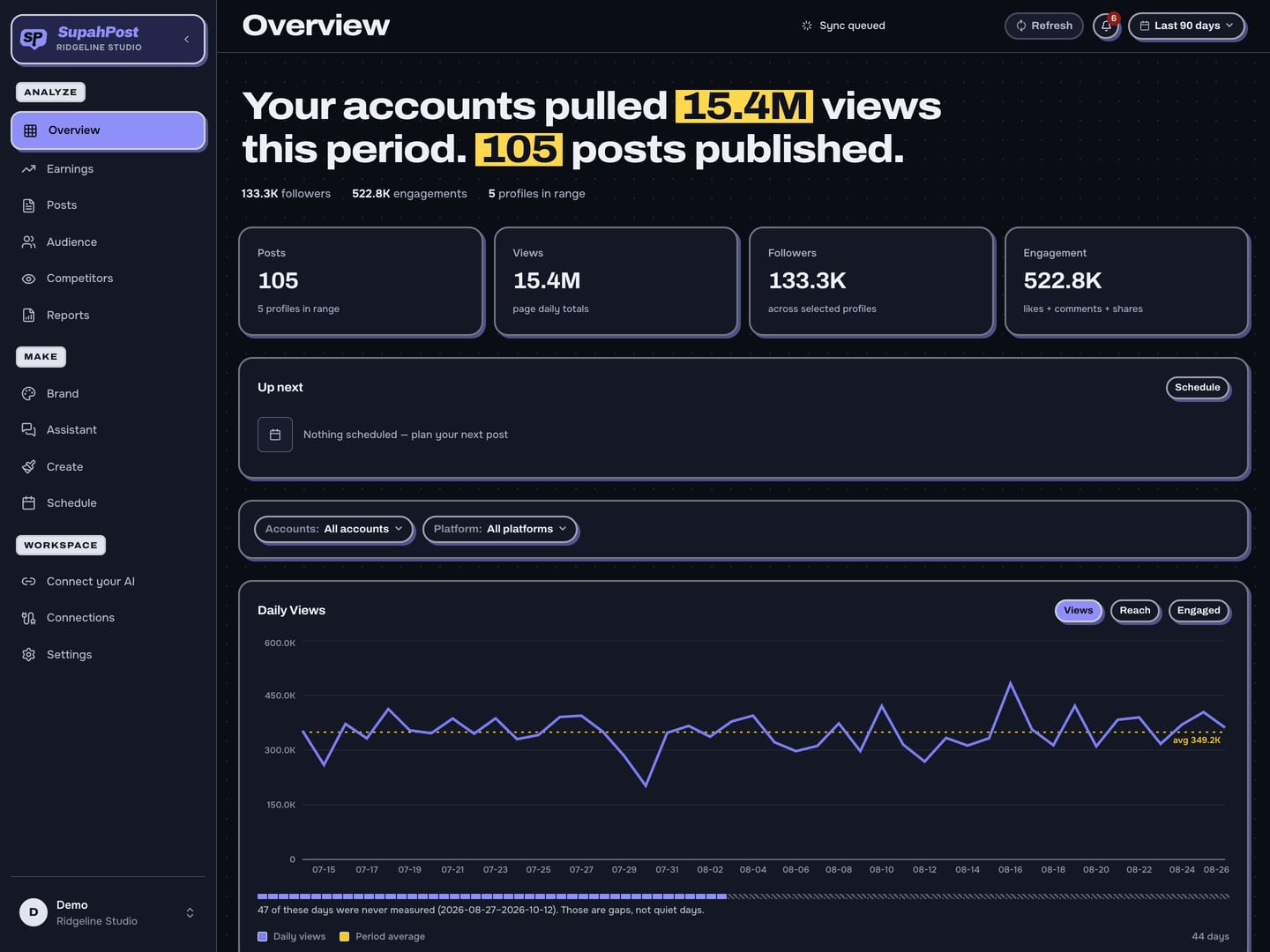
All your accounts, one screen.
Views, engagement and followers across every page and platform, for any date range.
Find your best posts.
Sort and filter everything you've posted, and search the words inside your images.
- Every post stays searchable
- Search captions and the text in your graphics
Know who is watching.
Follower growth, where your audience lives, and their age and gender, for each account.
Who follows you
Earnings. See what every post made.
Built for pages in Facebook's Content Monetization program. Your payouts sit next to the posts that earned them.
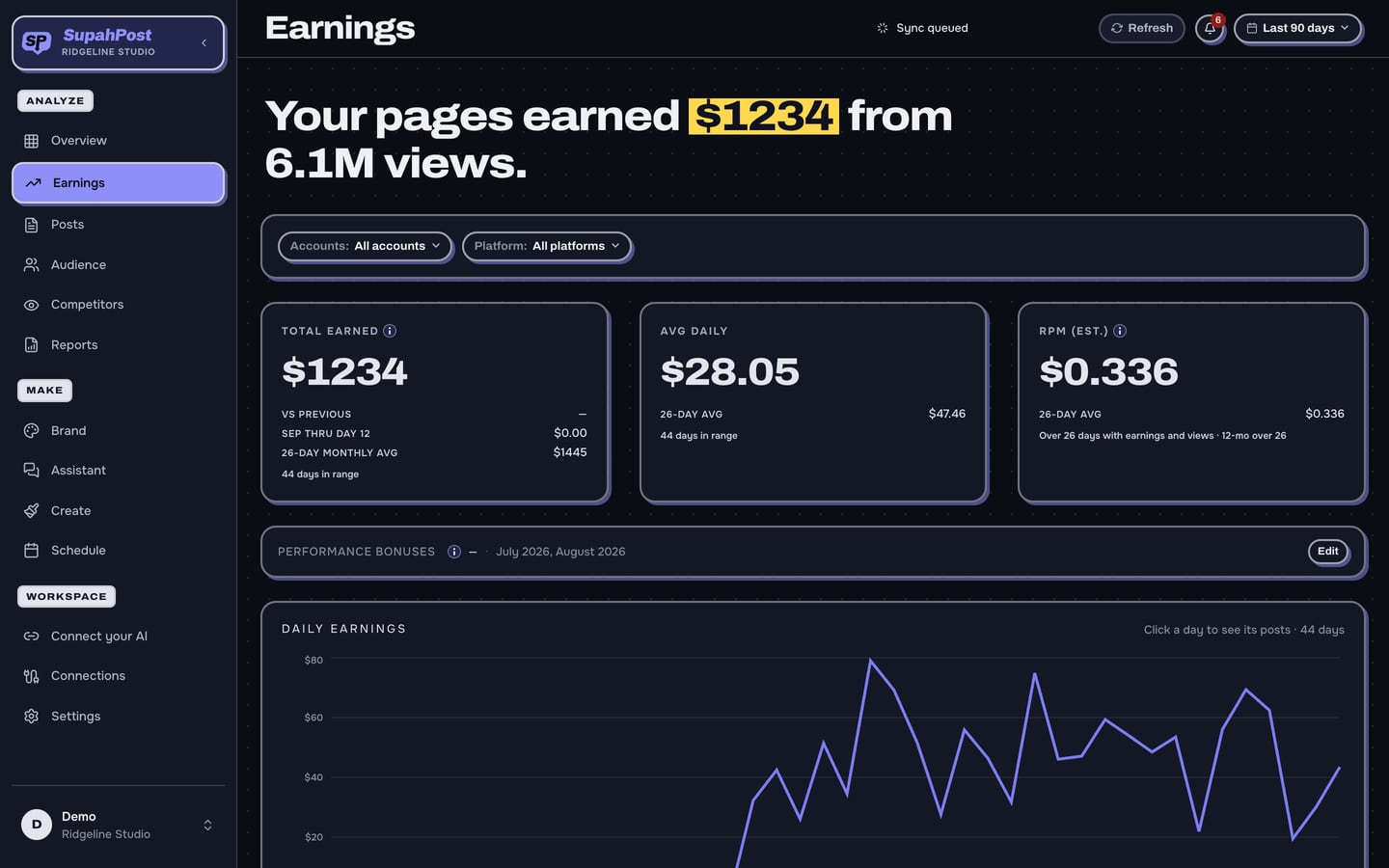
Your Facebook payouts, post by post.
- The dollars Meta reports for each post
- Totals by day, week and month
- Every monetized page you run, side by side
- Search and sort your posts by what they earned
RPM, worked out for you
See what you earn per thousand views. It is our own calculation, so it is always labeled as an estimate.
What earns the most
Find out which subjects, formats, days and hours bring in the most, then make more of those.
Where the month is heading
A forecast of this month's earnings, shown as a range and not a single guess.
Competitors. See what is working for them.
Follow the Instagram accounts you compete with and see their posts next to your own.
Their best posts, next to yours.
- Follow any public Instagram business or creator account
- Their posts, sorted by likes and comments
- Followers and posting pace, compared with your own
- Search their captions for any topic
Average likes per post · last 30 days
Reports. Ask for one and it builds it.
Describe the report you want. It is shaped by what you asked for, not picked from a list of types.
A client-ready deck from a sentence.
- PowerPoint, PDF, spreadsheet and CSV from one ask
- The PowerPoint stays editable
- The same numbers your dashboard shows
- Anything it could not include is listed, not dropped
On a schedule
Save a report and it re-runs itself every week or month, then emails you the link.
Monthly report, Bench Street
Runs on the 1st at 9:00
Your October report is ready
Emailed to you with the link
In your own brand
Put your logo and colors on every deck, so it goes to the client as yours.
Saved for next time
Keep a report as a template and run it again for any brand or date range.
Monthly client report
Run again for November
Top posts this quarter
Run again for any brand
Live dashboards. Share one link.
Give a client, a host or a partner their own page of numbers that stays up to date.
Their numbers, always current.
- Opens from a link, with no account or login
- Shows one brand, or only the accounts you pick
- You choose what appears, and can leave earnings out
- Add a password and an expiry date
- Switch a link off the moment you need to
Analytics, answered.
Where do the numbers come from?
From each platform's own data. If a platform does not report a number, you see a gap, not a guess.
Can I track my Facebook earnings?
Yes. For Facebook pages in the Content Monetization program, you see the dollars Meta reports for each post, plus an estimated RPM, what earns the most, and a forecast for the month.
Does it show earnings for Instagram, TikTok or YouTube?
Not today. Earnings are shown for Facebook pages in the Content Monetization program.
Can I track my competitors?
Yes, on Instagram. Connect your own Instagram business or creator account, then follow any public business or creator account to see its posts, likes, comments and follower count next to yours.
What files does a report come in?
PowerPoint, PDF, a spreadsheet and CSV. The PowerPoint stays editable.
Can reports run automatically?
A saved report can re-run on a schedule and email you the link when it is ready.
Does a client need an account to see a dashboard?
No. A shared dashboard opens from a link. You can add a password and an expiry date, and switch it off at any time.
Find out what's working.
Seven days free.
Start free →7-day free trial · $0 due today · cancel anytime